Publishing an iOS build from Flutter can be quick when you use ASC CLI.
This short tutorial shows the flow I usually follow to upload a new iOS build to App Store Connect. I have been using this flow while building and shipping CompactKit.
1. Build the IPA from your Flutter project
flutter build ipa
After the build finishes, your IPA should be at:
build/ios/ipa/<app-name>.ipa
2. Install ASC CLI
Go to the GH page: App-Store-Connect-CLI, then follow the Install section.
Once ASC is installed and authenticated on your machine, you can publish directly from terminal.
3. Get your app ID
asc apps
Find your app in the list and copy its app ID.
4. Publish to App Store Connect
asc publish appstore --app <app-id> --ipa <path-to-ipa-file>

When the upload completes, open App Store Connect and navigate to your app.
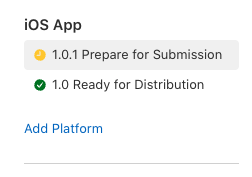
You should see a new version created automatically and attached to the uploaded build:
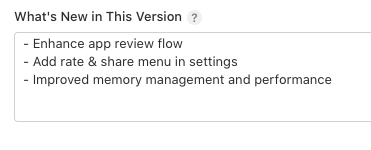
Then fill in What's New and submit for review:
Built from real experience: CompactKit
I wrote this guide from my own release workflow while building CompactKit. If you want to see a real app shipped, check it out here 👉 compactkit.cc
That's all! Happy publishing!